Company knowledge
Get answers grounded in your company handbooks and training guides, so policies and practical guidance are easier to find.
Ask REIGNWorkforce intelligence, built on proof
Time and attendance is just the beginning. Connect verified hours to smarter scheduling, clearer workforce decisions, and a Real-Time Resume every worker can take with them.
A 30-minute walkthrough, tailored to your operation.
Explore the workforce dashboard. Product preview. Click to enlarge.
From the time clock to the bigger picture.People, skills, and project records—connected.
Built in the field
Already running in real staffing operations.
Daily clock-ins. Team scheduling. Verified timecards.
Meet the operators behind REIGN
From time to intelligence
Start with the work that actually happened. Build your decisions on the record it leaves behind.
Record time by worker, shift, project, and skill. Geofenced clock-in and offline punches keep the record connected to the work.
Use verified timecards for payroll-ready exports, skill-based scheduling, and a clearer view of your workforce.
Turn verified hours and experience into a Real-Time Resume that grows with the worker throughout their career.
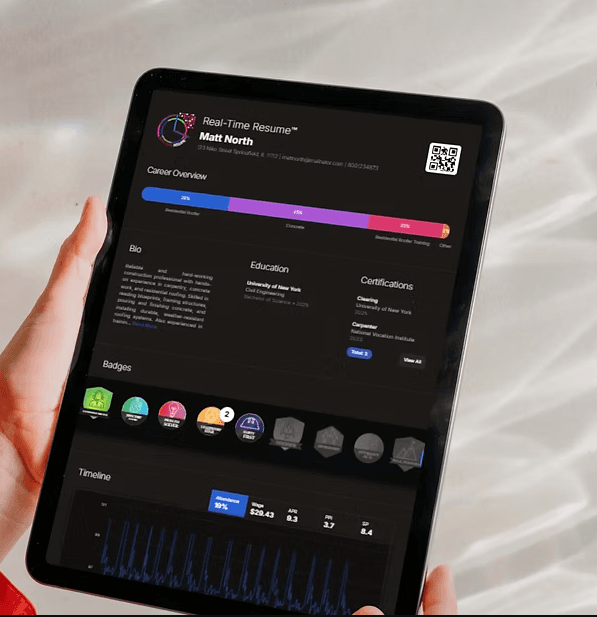

The work becomes the proof
Every verified time punch adds to a living record of hours, skills, projects, and growth. The Real-Time Resume brings that experience together in one portable profile.
See the experience behind the person when planning teams and development.
Carry a verified record of your work forward, wherever your career takes you.
Your everyday operating system
The core platform brings your daily workforce tools together. Explore what happens around the time clock.
Explore plans and pricing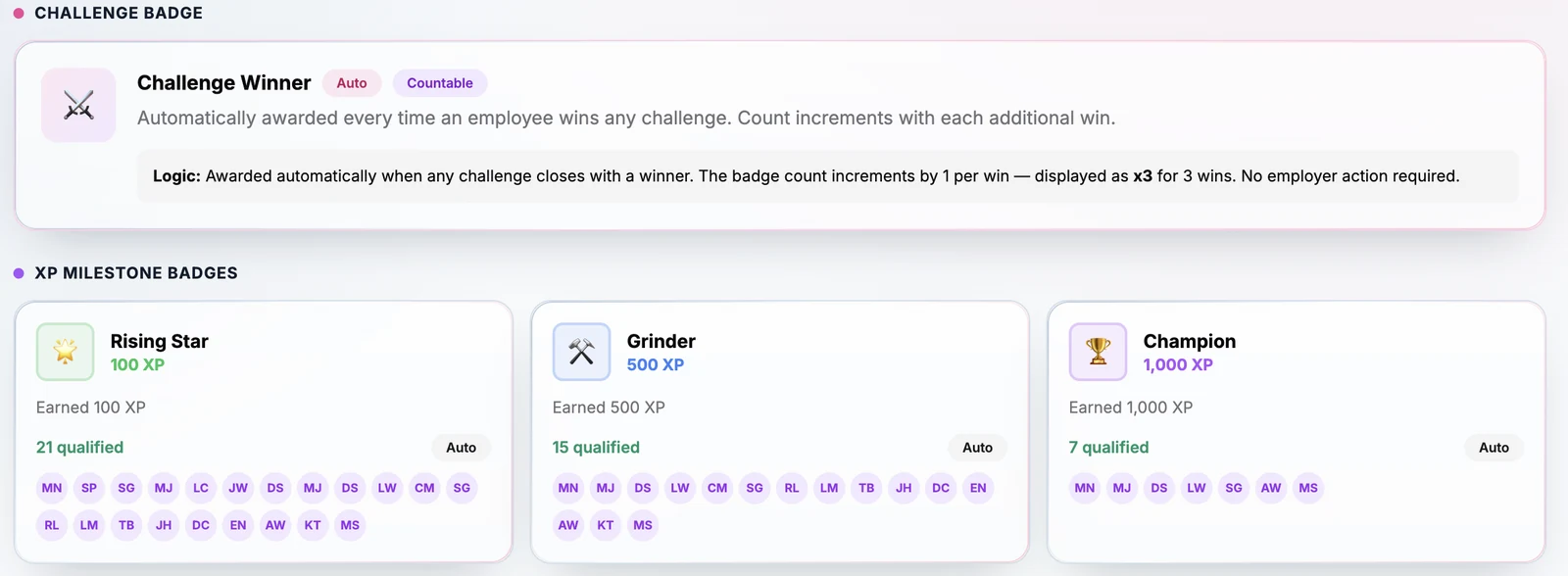
Actual REIGN screen with demo data. XP is motivational only, is not redeemable, and does not determine pay, promotion, or placement.
Optional module · Project management
Connect the workforce to the full project lifecycle—from solicitation and award to pay application submission, processing, and final closeout.
RFP intake, bidder portals, documents, and sealed bids.
Bid tabulation, tiered awards, and native e-signatures.
Daily logs, crew scheduling, pay application submission and processing, and retainage.
Required submittals, closeout packets, and contractor grading.
Keep pay applications and their processing connected to the project record, alongside payment records, retainage, and prompt-pay clocks. Available in the optional Project Management module.
See the pay application workflowAdd certified payroll (WH-347), prevailing-wage checks, verified participation tracking, and a scoped portal for agency officers and monitors. This add-on is part of the optional Project Management module.
Ask about project and compliance pricingREIGN AI · Meet Ask REIGN
From workforce questions and career coaching to document intake, REIGN AI helps turn your records into useful answers and a more informed next step.
See how REIGN AI fits your team and your workflow.
A conversation.
Connected to your work.
Try Ask REIGN above to explore the interactive demo with sample data.
In Ask REIGN and across the platform.
Get answers grounded in your company handbooks and training guides, so policies and practical guidance are easier to find.
Ask REIGNAsk about workforce records, experience, and training progress to put more context behind everyday team decisions.
Ask REIGNHelp workers explore their next step with guidance connected to their own resume, company handbook, and training materials.
For workersTurn RFP documents into a draft solicitation. Review the extracted scope and requirements before moving the project forward.
Project Management moduleExtract wage-determination rates from bid documents and propose classification matches for a person to confirm.
Public Work & Contract ComplianceExtract information from I-9 and W-4 documents to support your team’s document workflow and review.
People & HRAvailability depends on your plan, enabled modules, and role. AI supports your review; people confirm the decisions.
Ask REIGN brings your daily operation into one conversation:
Start with the way your jobs run
Answer 16 yes-or-no questions about time, public work, subcontractors, and your crew. Get your score and see the REIGN features that match your operation.
Open the standalone worksheetWhere your hours come from
Choose Yes wherever it is true today. Choose No if it is not true or does not apply.
A conversation starter, not a business assessment or a calculation of financial savings. Feature availability depends on your plan, enabled modules, and role. No email required to see your results.
See it with your operation in mind
Walk through time tracking, your team’s experience, and the decisions you make every day.